BO object has no user-key

First, As part of my previous post, ‘how-to-enable-disable-pooling-while-saving-in-db’, now am able to understand the pooling, why & how it is used for. Thank you for that.

As a follow-up, couple of more questions.

First, We are able to get the Business objects from DB successfully - now with pooling enabled and with the use of borrowAPIObject, however, when we try to save a new Business object by using post method, we do not see the entries in the db. As per your replies and if my understanding is correct, we need not write any custom code for basic CRUD operations for BO (Same result if we do use custom API or we use default RestWebService). Am sure am missing some additional configuration (tried assigning ADMIN permissions as well to the API instead of just API_READ permission earlier), but no errors in logs, only warning saying ‘RenaultPerson isDatalinkInstance() false’. Full message in Server logs below.

Also, we see a kind of warning ‘Beware this object has no user-key yet.‘ when we save or make any modifications to the Business object. Not sure if the save issue is due to ‘no user-key‘ or due to previous warning message.

Is it possible to shed some light on what BO object has to do with user-key and why the warning message?

Technical information

Instance /health

[Platform]
Status=OK
Version=6.2.14
BuiltOn=2025-07-31 15:05
Git=6.2/285e27aae1fe529c1a4afc33b026a6d5f04a3552
Encoding=UTF-8
EndpointIP=127.0.0.1
EndpointURL=http://renault2.simplicite.io:20058
TimeZone=Europe/Paris
SystemDate=2025-08-04 11:44:40

[Application]
ApplicationVersion=1.0.0
ContextPath=
ContextURL=https://vamsi.renault2.simplicite.io
ActiveSessions=2
TotalUsers=17
EnabledUsers=10
LastLoginDate=2025-08-04 11:27:27

[Server]
ServerInfo=Apache Tomcat/9.0.107
ServerType=WEB
ServerDevMode=true
ServerCompiler=true
ServerActiveSessions=2
ServerSessionTimeout=30
CronStarted=true

[OS]
Name=Linux
Architecture=amd64
Version=5.14.0-570.17.1.el9_6.x86_64
SystemEncoding=UTF-8

[Disk]
DiskFree=84540
DiskUsable=84540
DiskTotal=101109

[JavaVM]
Version=21.0.7
Vendor=Red Hat, Inc.
VMName=OpenJDK 64-Bit Server VM
VMVersion=21.0.7+6-LTS
ScriptEngine=rhino
ScriptEngineVersion=Rhino 1.7.13 2020 09 02
HeapFree=205090
HeapSize=524288
HeapMaxSize=524288
TotalFreeSize=205090

[Cache]
ObjectCache=854
ObjectCacheMax=10000
ObjectCacheRatio=8
ProcessCache=0
ProcessCacheMax=10000
ProcessCacheRatio=0
APIGrantCache=1
APIGrantCacheMax=1000
APIGrantRatio=0

[Database]
Vendor=3
VendorName=postgresql
ProductName=PostgreSQL
ProductVersion=13.20
DriverName=PostgreSQL JDBC Driver
DriverVersion=42.7.7
DBDate=2025-08-04 11:44:40
DBDateOffset=0
DBPatchLevel=6;P02;56a2df3887f754ccf1ded39d8fd8bffe;14
UsingBLOBs=true

[Healthcheck]
Date=2025-08-04 11:44:41
ElapsedTime=221
Server Logs
‘*2025-08-04 11:28:37,822|SIMPLICITE|WARN||http://renault2.simplicite.io:20058||WARN|z026064|com.simplicite.objects.RenaultPerson.RenaultPerson|postLoad||Event: isDataLinkInstance() r=false*’

Sreram
It is not possible to help you efficiently if you don’t provide more information on the business objects you have configured and/or code you have written using them.

I suppose that one of your business objects is, at least, lacking a “functional key” (= a set of fields that defines a unique business-level key)

Please make sure you have been thru the auto-training tutorial or attend a training session before trying implementing more advanced stuff such as mapped APIs. Functional key and is a very fundamental concept of Simplicité business objects. Same for the rights management. On this support forum we assume that you are familiar with all core concepts of the Simplicité platform.

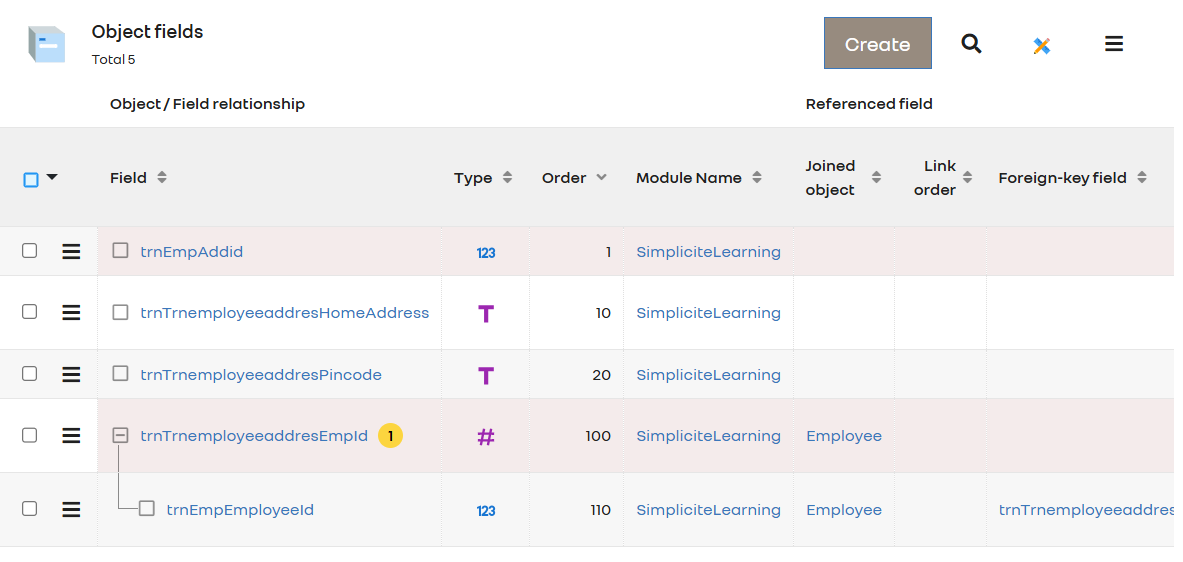
hello, we are trying to do simple crud operation in simplicite, we created one business object TrnEmployeeAddres and added few fields , we are able to get the data that we manually insert into the table using query, but unable to add data through rest web service

Working get part:

 @Override
    public Object get(Parameters params) throws HTTPException {

       // return new JSONObject().put("response", "Hello kd!");
       ObjectDB obj = borrowAPIObject("TrnEmployeeAddres");
	   long count = obj.count();
	   AppLog.info("Db records count value"+count);
       List<String[]> rows = obj.search();
              
	   AppLog.info("retrieve data"+ rows);
	   String[] tableData = obj.getValues();
	   AppLog.info("retrieve data123"+ Arrays.toString(tableData));
	   if(obj != null ) returnAPIObject(obj);
	   
	   return new JSONObject()
                    .put("status", "success")
                    .put("message", "Objects  retrieved successfully")
                    .put("data", Arrays.toString(tableData));

        //	return super.get(params);
    }

Not working Post Part:

 @Override
    public Object post(Parameters params) throws HTTPException {

        try{
            // Parse the incoming JSON request
            JSONObject req = params.getJSONObject();
            if (req != null) {
            	boolean isPool = useObjectPool();
            	AppLog.info("Pooled object .."+ isPool);
                // Get the business object instance
                ObjectDB objAddress = borrowAPIObject("TrnEmployeeAddres");
				objAddress.setFieldValue("row_id", req.optString("row_id"));
                //objAddress.resetValues();
                AppLog.info("insert the data.."+req.optInt("trnEmpEmployeeId"));
                // Set the fields with the data from the request
                objAddress.setFieldValue("trnTrnemployeeaddresPincode", req.optString("trnTrnemployeeaddresPincode"));
                objAddress.setFieldValue("trnTrnemployeeaddresHomeAddress", req.optString("trnTrnemployeeaddresHomeAddress"));
                //To check it store the value of EmployeeID
				objAddress.setFieldValue("trnTrnemployeeaddresEmpId", req.optInt("TrnemployeeaddresEmpId"));
				//or to check whether it will store cascade value
				//ObjectDB obj = borrowAPIObject("Employee");
				            //obj.select("2");
				
            	//obj.setFieldFilter("trnEmpEmployeeId",req.optInt("trnEmpEmployeeId") );
            	 //AppLog.info("check employee object.."+ obj.getValues());


			/*	for (Field f : obj.getFields()) {
						String name = f.getName();
    					String label = f.getDisplay();
    					AppLog.info("Field: " + name + " (" + label + ")", getGrant());
					}
*/
            
				            
				//objAddress.setFieldValue("trnEmpEmployeeId", obj);			

                // Add more fields as needed

                // Save the object (create or update)
                String empId = objAddress.create();
                String[] objvalues = objAddress.getValues();
				if(objAddress != null ) returnAPIObject(objAddress);

                // Retrieve the saved object using a unique field (e.g., trnSimpliciteId)


                // Return a success response with the retrieved data
                return new JSONObject()
                        .put("status", "success")
                        .put("message", "Object saved and retrieved successfully")
                        .put("data", objvalues);

            }
            return badRequest("Invalid request payload");


        } catch (Exception e) {
            return e;

        }
    }

hello, we are trying to do simple crud operation in simplicite, we created one business object TrnEmployeeAddres and added few fields , we are able to get the data that we manually insert into the table using query, but unable to add data through rest web service

Working get part:

 @Override
    public Object get(Parameters params) throws HTTPException {

       // return new JSONObject().put("response", "Hello kd!");
       ObjectDB obj = borrowAPIObject("TrnEmployeeAddres");
	   long count = obj.count();
	   AppLog.info("Db records count value"+count);
       List<String[]> rows = obj.search();
              
	   AppLog.info("retrieve data"+ rows);
	   String[] tableData = obj.getValues();
	   AppLog.info("retrieve data123"+ Arrays.toString(tableData));
	   if(obj != null ) returnAPIObject(obj);
	   
	   return new JSONObject()
                    .put("status", "success")
                    .put("message", "Objects  retrieved successfully")
                    .put("data", Arrays.toString(tableData));

        //	return super.get(params);
    }

Not working Post Part:

 @Override
    public Object post(Parameters params) throws HTTPException {

        try{
            // Parse the incoming JSON request
            JSONObject req = params.getJSONObject();
            if (req != null) {
            	boolean isPool = useObjectPool();
            	AppLog.info("Pooled object .."+ isPool);
                // Get the business object instance
                ObjectDB objAddress = borrowAPIObject("TrnEmployeeAddres");
				objAddress.setFieldValue("row_id", req.optString("row_id"));
                //objAddress.resetValues();
                AppLog.info("insert the data.."+req.optInt("trnEmpEmployeeId"));
                // Set the fields with the data from the request
                objAddress.setFieldValue("trnTrnemployeeaddresPincode", req.optString("trnTrnemployeeaddresPincode"));
                objAddress.setFieldValue("trnTrnemployeeaddresHomeAddress", req.optString("trnTrnemployeeaddresHomeAddress"));
                //To check it store the value of EmployeeID
				objAddress.setFieldValue("trnTrnemployeeaddresEmpId", req.optInt("TrnemployeeaddresEmpId"));
				//or to check whether it will store cascade value
				//ObjectDB obj = borrowAPIObject("Employee");
				            //obj.select("2");
				
            	//obj.setFieldFilter("trnEmpEmployeeId",req.optInt("trnEmpEmployeeId") );
            	 //AppLog.info("check employee object.."+ obj.getValues());


			/*	for (Field f : obj.getFields()) {
						String name = f.getName();
    					String label = f.getDisplay();
    					AppLog.info("Field: " + name + " (" + label + ")", getGrant());
					}
*/
            
				            
				//objAddress.setFieldValue("trnEmpEmployeeId", obj);			

                // Add more fields as needed

                // Save the object (create or update)
                String empId = objAddress.create();
                String[] objvalues = objAddress.getValues();
				if(objAddress != null ) returnAPIObject(objAddress);

                // Retrieve the saved object using a unique field (e.g., trnSimpliciteId)


                // Return a success response with the retrieved data
                return new JSONObject()
                        .put("status", "success")
                        .put("message", "Object saved and retrieved successfully")
                        .put("data", objvalues);

            }
            return badRequest("Invalid request payload");


        } catch (Exception e) {
            return e;

        }
    }

Again I don’t understand why you are “reinventing the wheel” for basic CRUD operations on business object when standard APIs (and mapped APIs) already does it.

Can you explain me the reasons why you are implementing custom APIs here ?

Hi David,

Our aim is to get the details from the client through Bruno. We need to add some business logic to that data and map those details to other business objects—primarily focusing on the mapping.

To achieve this, we are using custom APIs instead of Mapped APIs. As the first step, we are trying to save data from the client through Bruno for a single business object. If this works, we will proceed to implement the necessary business logic and map the relevant details to other business objects.

If you need to implement business logic, implementing it in the API layer is not the right thing to do…

A business object’s logic MUST always be implemented in the business object’s hooks (see this doc to get more information about the usual hooks) or using dedicated configuration / design patterns (contraints, rights, inheritance, …). As a matter of fact the business object’s logic MUST be processed the same way whichever is the way you interact with the business object (UI, API, I/O import/exports, …)

In other words, the API layer (standard, mapped or even custom) MUST always remain a pure logic-less publication/access layer.

Thank you, David. I am currently using Mapped APIs, and they seem to be working. However, the records are not being inserted properly—they always insert empty values, although a valid row_id is returned.

Below is the Mapped API code:
public class StudendAddressCrud extends com.simplicite.webapp.services.RESTMappedObjectsExternalObject {
private static final long serialVersionUID = 1L;

// Usage example:
//  /api/StudendAddressCrud/users : lists all users (GET) or create a new user (POST)
//  /api/StudendAddressCrud/users?login=a* : lists all users whose login starts with a a
//  /api/StudendAddressCrud/users : create (POST) a new user
//  /api/StudendAddressCrud/users/1 : select (GET) or update (PUT) or delete (DELETE) an existing user with row ID 1
//  /api/StudendAddressCrud/users/1/user-resps select (GET) the responsibilities of existing user with row ID 1

// Note: in most cases the above mapping initialization can (should) be done using the external object's JSON settings

@Override
public void init(Parameters params) {
	addObject("trnStudentAddress", "TrnStudentAddress");
	addField("trnStudentAddress", "trnTrnstudentaddressId", "trn_trnstudentaddress_id");
	addField("trnStudentAddress", "trnTrnstudentaddressHomeAddress", "trn_trnstudentaddress_home_address");
	addField("trnStudentAddress", "trnTrnstudentaddressPincod", "trn_trnstudentaddress_pincod");

}

}
The payload sent to: {host_url}.simplicite.io/api/StudendAddressCrud/trnStudentAddress (POST)

{
  "trnTrnstudentaddressId": 54,
  "trnTrnstudentaddressHomeAddress": "123 Main Street Springfield",
  "trnTrnstudentaddressPincod": "123456"
}

The response is:

{
  "row_id": "13"
}

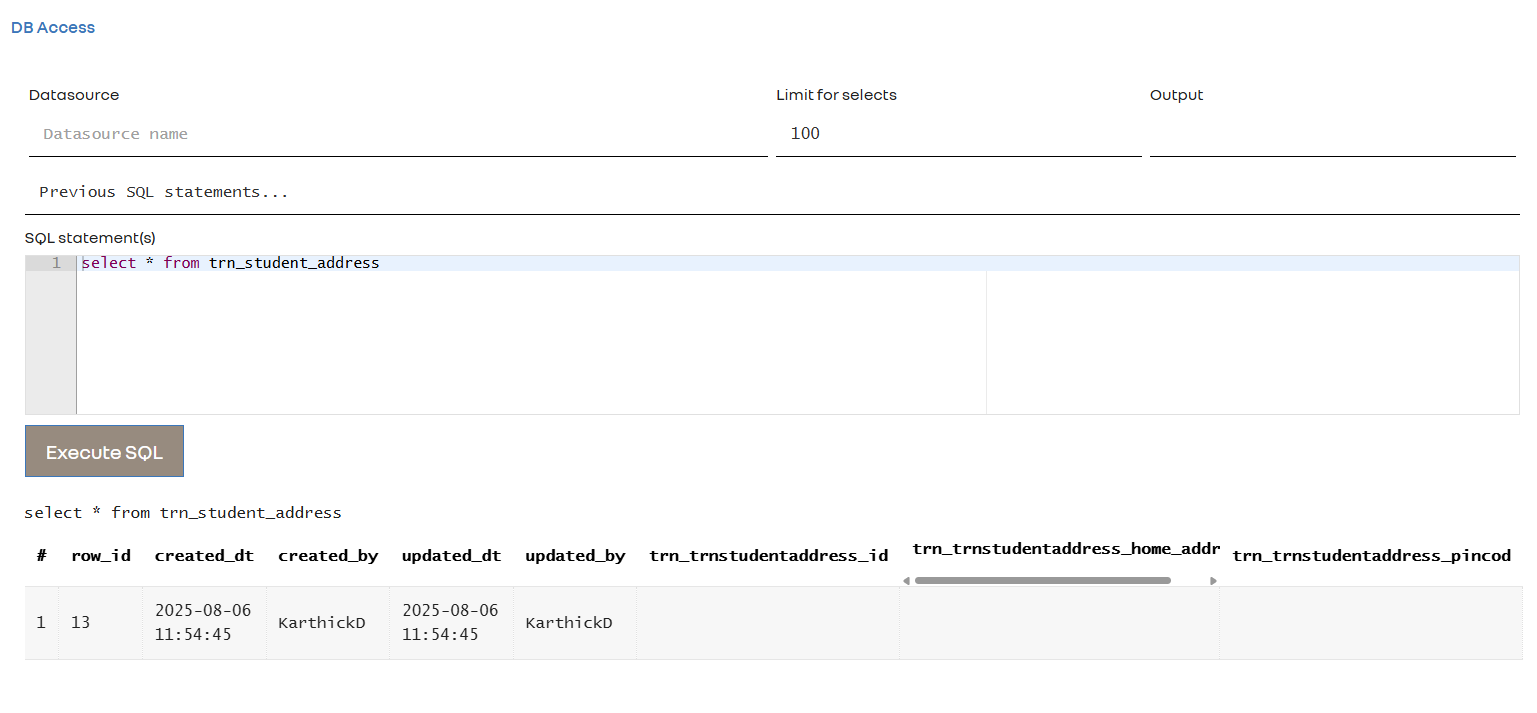
But when I check the database, the inserted record has empty values. The documentation does not clearly explain how the business object fields are mapped from the payload. Kindly refer the attachment

When you use a mapped API you must use the mapped names in your JSON (otherwise what would be the interest of mapping ?)

PS: I don’t know if it is what you have in mind with your trnTrnstudentaddressId field but generaly speaking in your business objects you don’t need to configure an additional technical unique “ID” field as the platform already manages a technical row_id primary key. You must have a purely business-oriented approach for the unique key (= the “functional key” in the Simplicité vocabulary).

This topic was automatically closed 30 days after the last reply. New replies are no longer allowed.