Need Support for Designing a ChatGPT / Copilot-like Responsive UI (Web) using Simplicite tool
Description
Hi Community,
I am looking for guidance, references, or reusable templates to design a modern conversational UI similar to ChatGPT or GitHub Copilot Chat.
The requirement is to build a fully responsive UI interface page using Simplicite tool that supports an AI/chat-based interaction pattern with a clean and minimal user experience.
Key UI Requirements
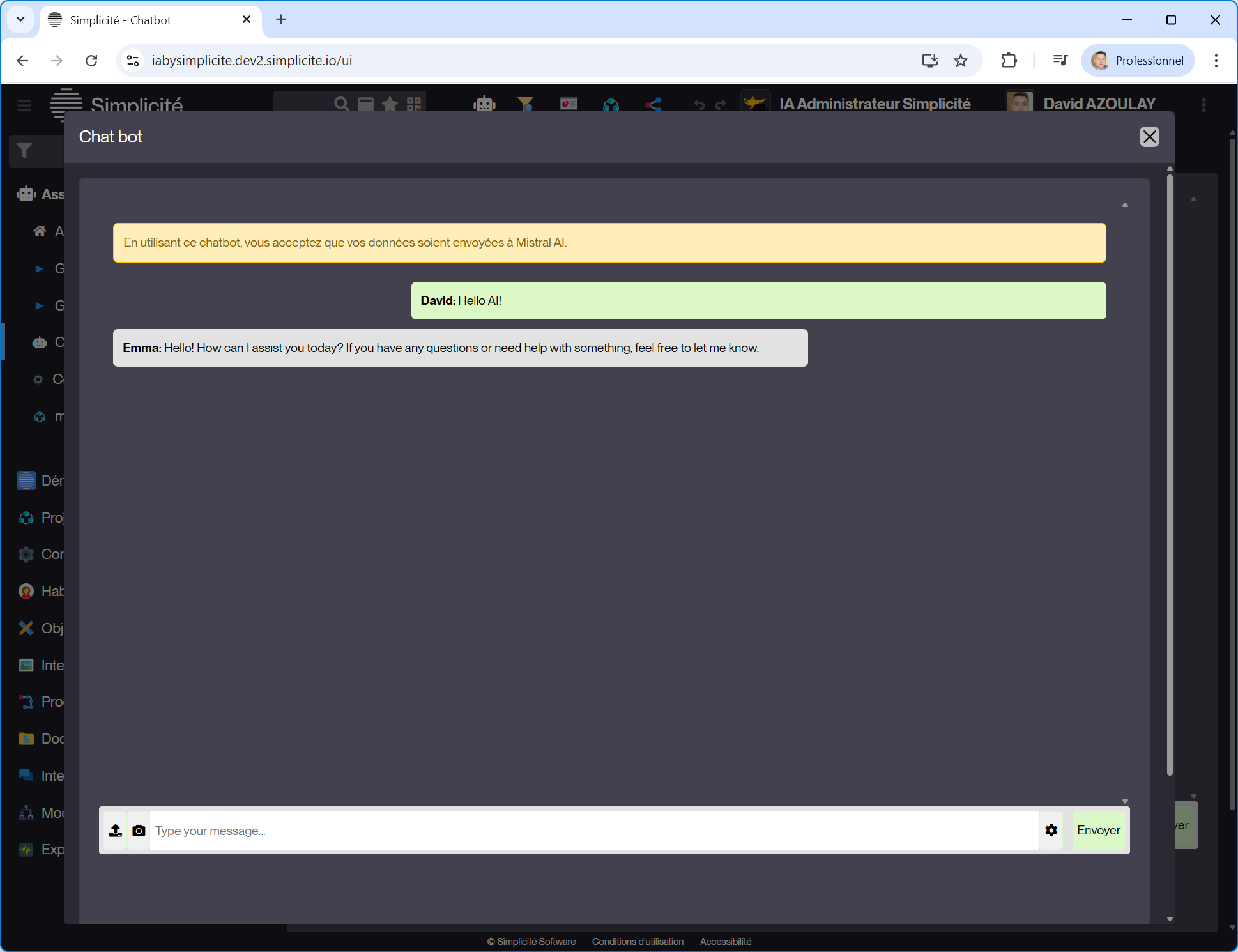
Chat-style layout
User messages on the right
Assistant/system messages on the left
Scrollable conversation panel
Fixed input area at the bottom with:
Text input
Send button
Optional attachment icon
Typing indicator / loading state
Support for long responses (code blocks, formatted text)
Functional Expectations (UI Only)
Frontend UI only (backend/AI integration will be handled separately)
Component-based design preferred
Should be easy to integrate with APIs later
Preferred Tech Stack (Open to suggestions)
HTML / CSS / JavaScript
OR React / Angular / Vue
What I’m Looking For
Open-source UI templates
GitHub repositories
Design systems or Figma files
Best practices for conversational UI
Sample implementations similar to ChatGPT or Copilot
Any references, examples, or suggestions would be highly appreciated.
Thanks in advance!
Short Version (If Forum Needs Concise Post)
Looking for references or templates to design a ChatGPT / Copilot-like responsive chat UI for a web application.
Need suggestions for open-source templates, GitHub repos, or Figma designs that support chat layout, fixed input bar, scrolling messages, dark/light mode, and responsive behavior.
The UI should be adaptable to enterprise applications and support extensibility.
Just a note: this message appears to be AI-generated and very generic, with no Simplicité-specific context. As such, it feels low effort for a specialized developer forum.
As written, this doesn’t seem specific to Simplicité — it’s a general frontend/UI topic about building a ChatGPT-like conversational interface.
This community works best with concrete, platform-specific questions. Please clarify how this relates to Simplicité, or consider posting this in a general frontend/UI forum instead.
I think this post refers to a use case we are implementing with our RNTBCI team.
Quick pitch: We want to implement a simple Simplicité application providing a landing page to the connected user including a “chat like” area. This chat area will support the interface with an AI agent allowing the user to converse with in order to build a “formalized request”. When the “formalized request” status is met, the agent ask for confirmation to the user of the request and post it to a Simplicité object “requests” (that will be then processed but it is another part of the story).
The question of this post is “how can we achieve this first part of user interface supporting the conversation with the chat bot in the Simplicité standard?”
I don’t think the standard “Social posts” widget could be used, at that stage, to that purpose => it would require some changes to be more customizable.
So at that stage I think you will need to implement a custom UI component (a “responsive UI external object” in Simplicité vocabulary) such as the one present in the “Demo AI integration” module of the app store:
 Short Version (If Forum Needs Concise Post)